RPG Game in Game
A meta-RPG where combat is a debug session inside a working simulation of the Godot editor, and the weapon is real GDScript.
features.idx (8 features)
- overview
- what_i_did
- features/
- 01In-Engine Godot 4 IDE Simulation
- 02Simulated GDScript Code Editor & Live AST Parsing
- 03Turn-Based "Debug Session" Combat with Inverted Index DAG
- 04Dynamic Risk/Reward & Time-Attack Matrix
- 05Interactive Pedagogical & Hint Engine
- 06Screen-Space Spotlight Shader & Onboarding
- 07Classroom LAN "Game Master" Suite
- 08Retro UI Polish & Multi-Language Localization
- gallery/
Project overview
RPG Game in Game is an educational meta-RPG that transforms game development and programming into the primary combat system, bridging the gap between passive video tutorials and hands-on engine proficiency. Guided by an AI assistant named BETH, the player's consciousness is projected into a virtual avatar to explore glitching environments and confront corrupted software anomalies visualized as retro RPG monsters.
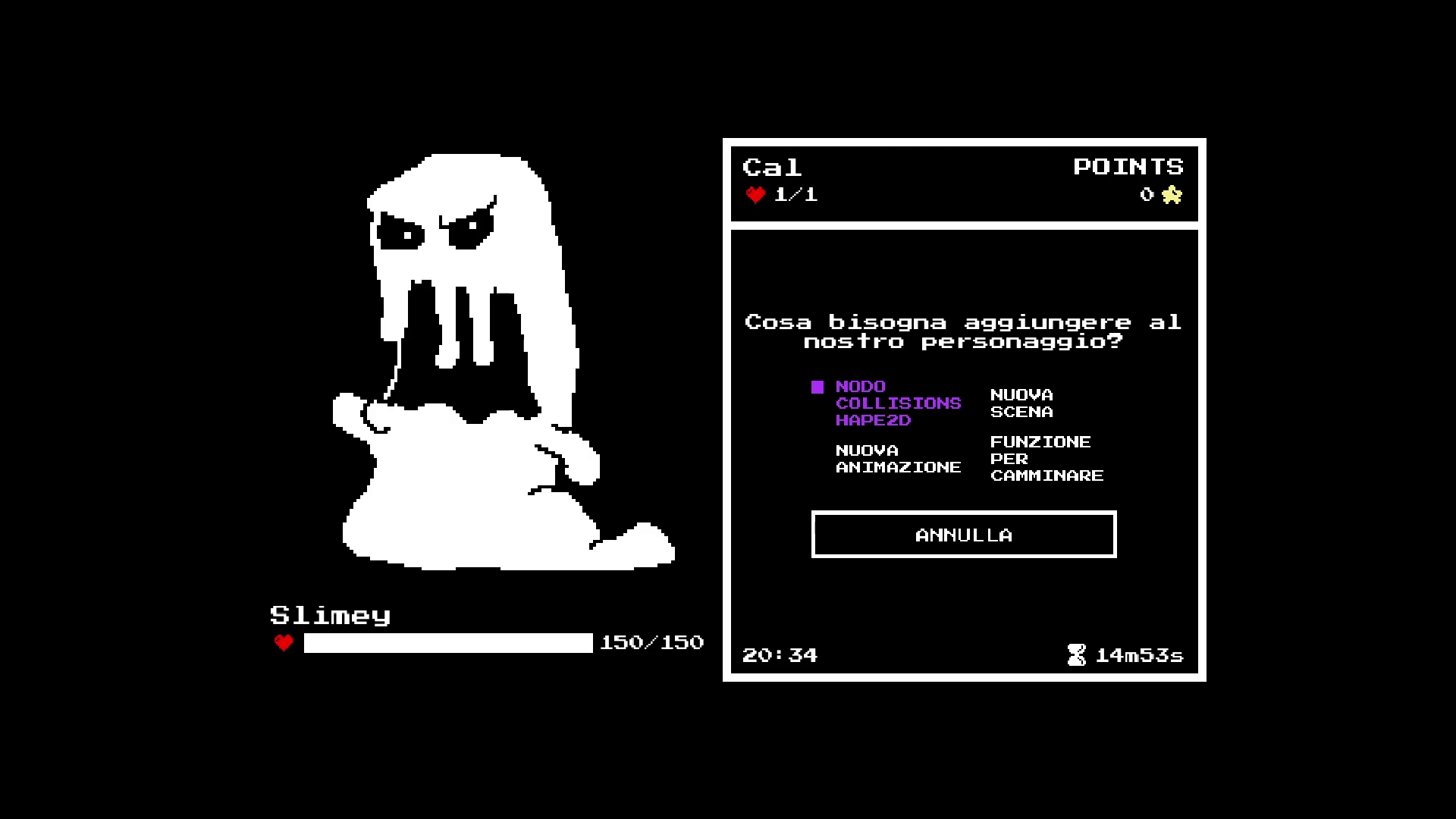
During combat, turn-based encounters transform into interactive "Debug Sessions," launching a fully functional, lightweight simulation of the Godot 4 Engine directly within the game where players inspect scene trees, adjust node properties, attach scripts, and write real GDScript code to deal damage and stabilize the game world.
The game serves both as an engaging standalone RPG and as an interactive pedagogical tool for educational settings, complete with multi-language localization and a LAN classroom multiplayer dashboard for computer science educators.
What I did
As the Solo Developer, Game Designer, Programmer, and Technical Systems Designer, I conceptualized and developed the entire project from scratch in Godot 4.1.
I engineered the in-game Godot 4 IDE simulation (Scene Dock with node catalog, Object Inspector with recursive OOP class headers, Virtual File System, and GDScript Code Editor with live lexical parsing). I designed the turn-based "Debug Session" combat system resolved via an Inverted Index Directed Acyclic Graph (DAG) algorithm for O(1) condition lookups.
I created interactive pedagogical hint systems (technical suggestion manual, Cloze fill-in-the-blank challenges, Automatic Procedure mode), wrote custom GLSL screen-space smoothstep spotlight shaders (dark_overlay.gdshader), implemented a LAN multiplayer classroom "Game Master" suite using ENetMultiplayerPeer, and programmed retro UI polish including an Undertale-style naming screen and full English, Italian, and Japanese localization.
Solo project · Solo Developer (Game Designer, Programmer, Author)
Features I implemented
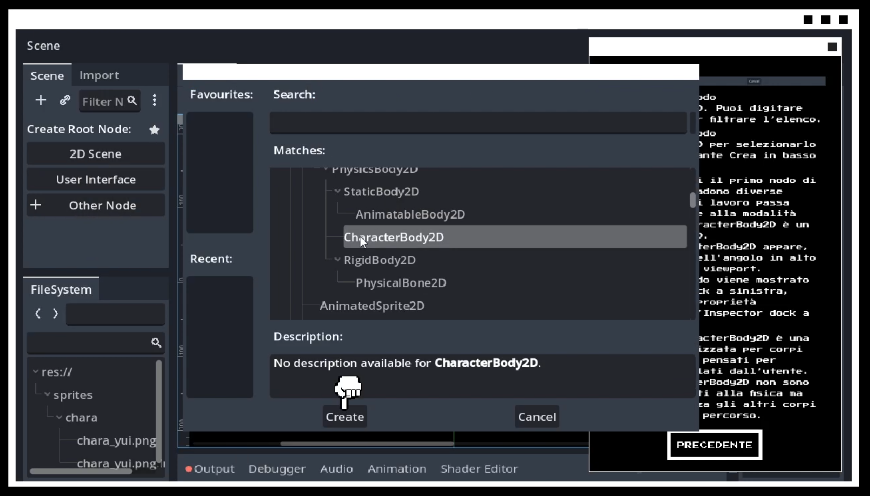
In-Engine Godot 4 IDE Simulation
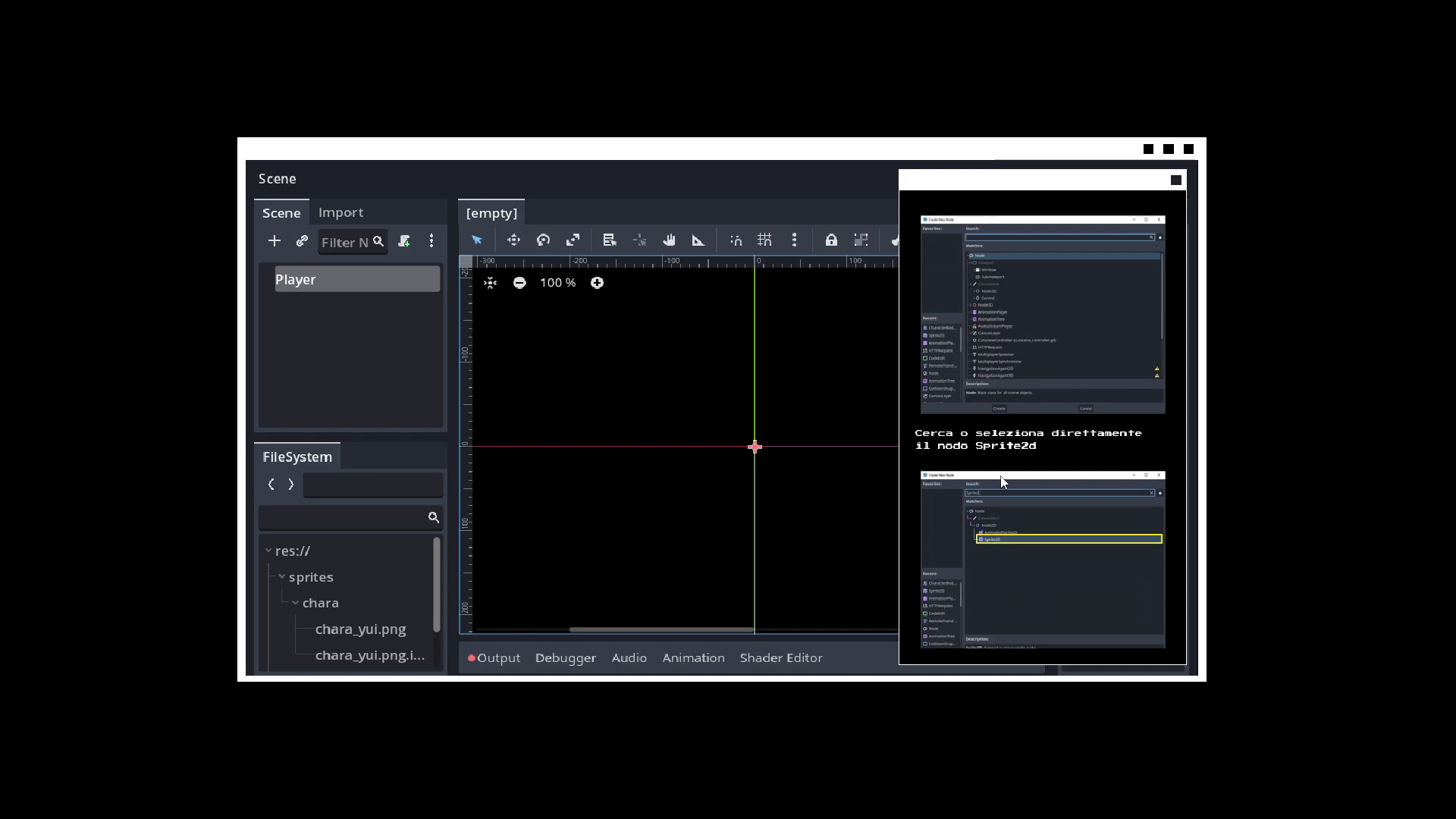
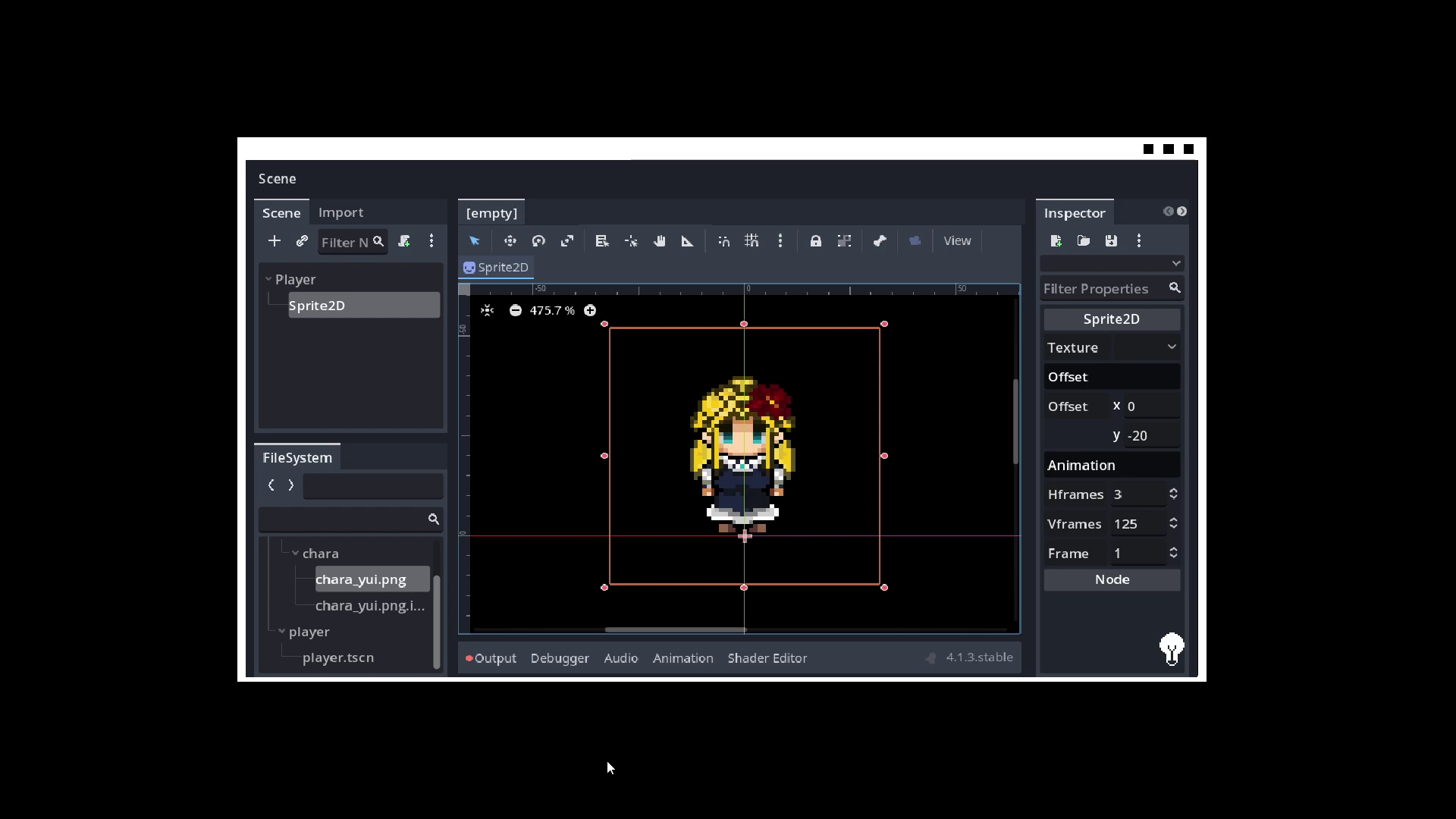
I recreated the core Godot 4 Editor within a running game instance (GodotSimulatorScreen), enabling players to manipulate engine tools in real time during combat encounters.
The simulated IDE consists of a hierarchical Scene Dock parsing a catalog of Godot engine node types, an Object Inspector displaying typed properties with recursive OOP class headers (Node -> CanvasItem -> Control), a memory-backed Virtual File System (res://), and a real-time 2D Viewport visual preview.
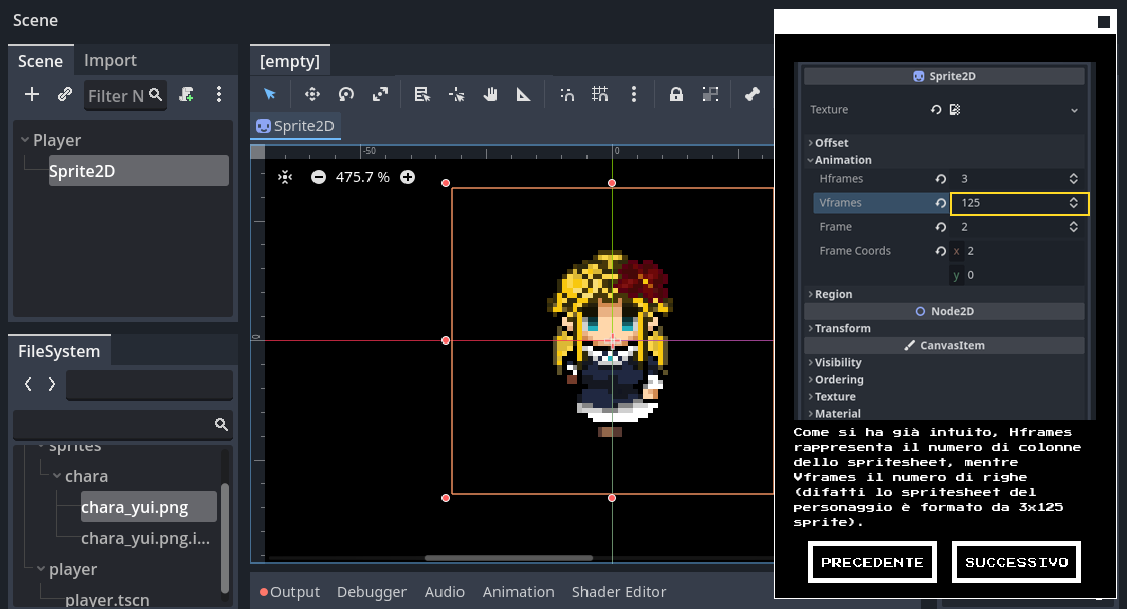
- Scene Dock: Hierarchical node tree with live parenting, node creation, and script attachment.
- Inspector Dock: Dynamically renders typed properties with collapsible OOP class inheritance shields.
- Virtual File System: In-memory filesystem managing script files and resources without touching actual disk storage.
- Live Viewport: Real-time 2D visual feedback reflecting node hierarchy and property alterations.
Simulated GDScript Code Editor & Live AST Parsing
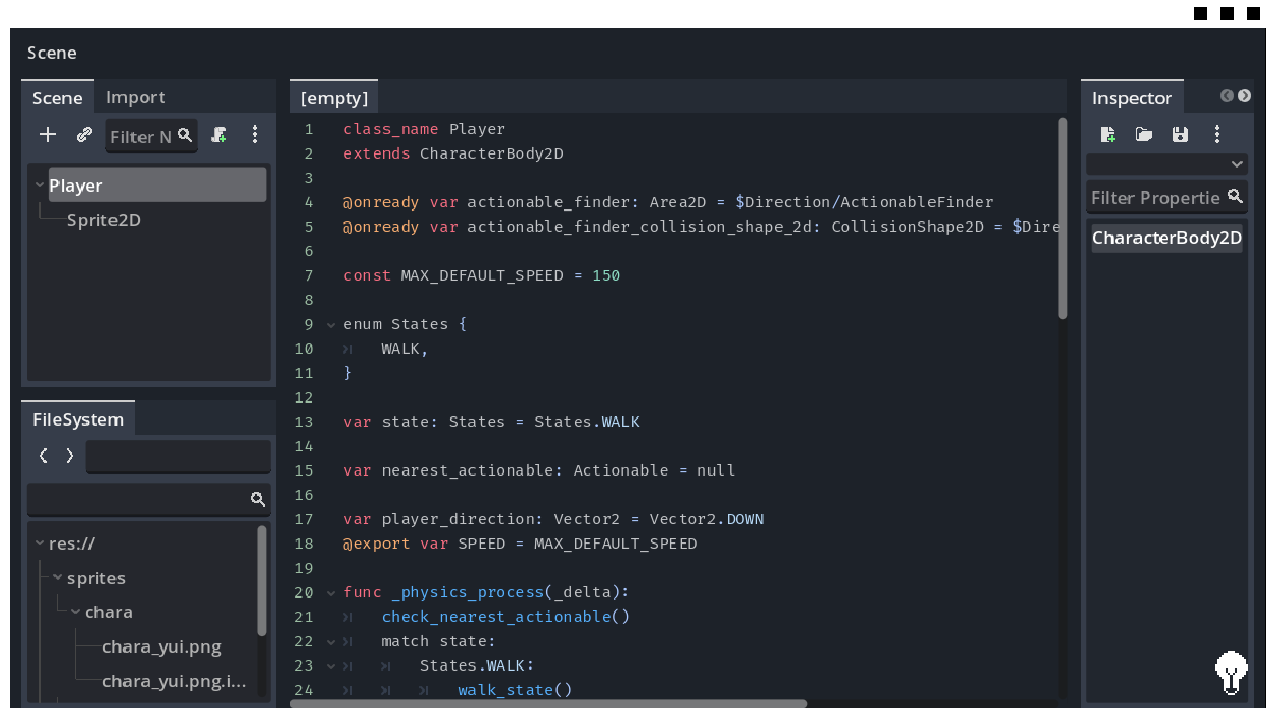
I built an in-game code editor (GDScriptCodeEditor) using Godot's CodeEdit and CodeHighlighter classes, configuring accurate engine syntax themes for keywords, statements, engine classes, strings, annotations, and comments.
To validate player code, I implemented a non-blocking line-by-line lexical parser that checks statements and class declarations in real time. When the player writes valid GDScript (such as class_name Player or extends CharacterBody2D), the editor verifies the syntax, validates semantic requirements, and executes state updates to damage corrupted bugs.
func set_up_keywords():
	for keyword in KEYWORDS:
		code_highlighter.add_keyword_color(keyword, KEYWORD_COLOR)
	for statement in STATEMENTS:
		code_highlighter.add_keyword_color(statement, STATEMENT_COLOR)
	for godot_class in CLASSES:
		code_highlighter.add_keyword_color(godot_class, CLASSES_COLOR )

func set_up_color_regions():
	for color_region in COLOR_REGIONS:
		code_highlighter.add_color_region(color_region[0], color_region[1], COLOR_REGION_COLOR)
	# add comment highlight
	code_highlighter.add_color_region(COMMENT_SYMBOL, "", COMMENT_COLOR)
	# add annotation highlight
code_highlighter.add_color_region(ANNOTATION_SYMBOL, " ", ANNOTATION_COLOR)Turn-Based "Debug Session" Combat with Inverted Index DAG
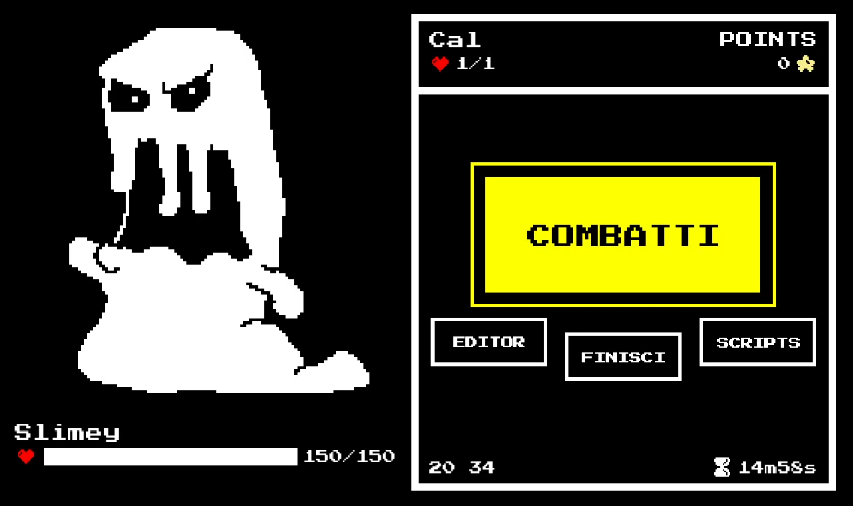
I replaced conventional turn-based RPG combat with software architectural deduction puzzles. In each encounter, corrupted monsters represent software anomalies (e.g., missing class declarations, unlinked signals, missing collision shapes, missing or corrupted sprites).
To resolve complex prerequisite chains efficiently, BattleManager uses an Inverted Index Directed Acyclic Graph (DAG) algorithm. Rather than scanning all choices each frame, prerequisite choices are indexed as keys pointing to dependent options, enabling O(1) dependency resolution as choices are completed and unlocking valid developer actions dynamically.
# Preprocessing choices into an inverted index for O(1) prerequisite lookups
# completed_choice_options: Array of completed IDs
# choices_that_damage_bug_and_that_must_come_after_other_choices = {
#     "prerequisite_choice_id": [
#         [["prerequisite_1", "prerequisite_2"], dependent_choice_id]
#     ]
# }Dynamic Risk/Reward & Time-Attack Matrix
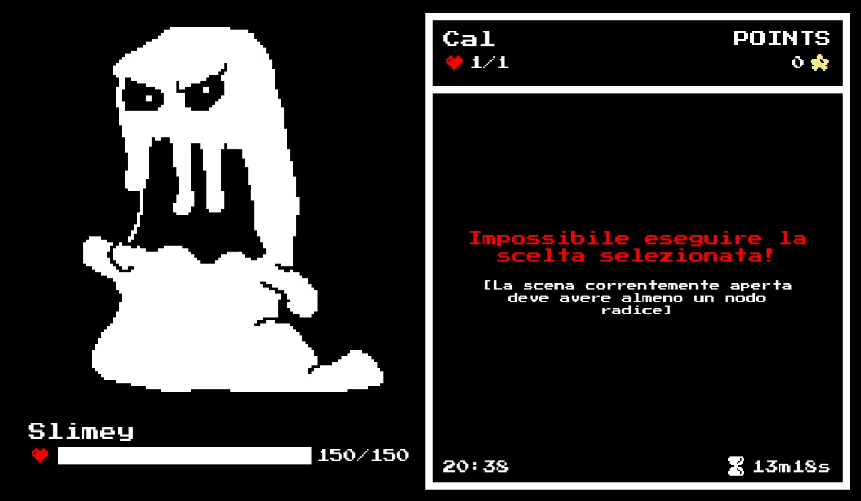
To balance educational depth with arcade intensity, I designed a risk/reward matrix governed by a digital countdown timer.
Valid developmental actions completed in the IDE inflict damage on the bug entity. Conversely, attempting incorrect fixes, missing syntax parameters, or violating prerequisite development order inflicts direct damage on the player's avatar under time pressure, forcing players to think critically like true software engineers.
Interactive Pedagogical & Hint Engine
I developed a multi-tiered pedagogical support system to ensure players of all programming skill levels can learn effectively.
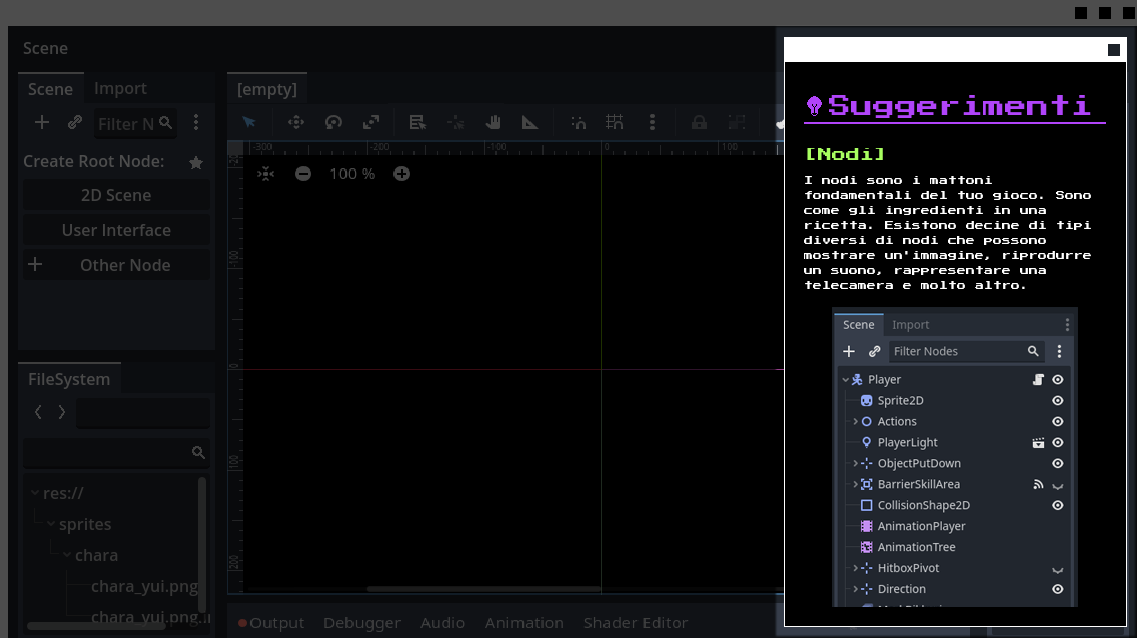
The suite includes SuggestionWindow, a paginated in-game manual featuring rich BBCode snippets, architectural diagrams, and code examples; Cloze-test fill-in-the-blank exercises to test conceptual comprehension; and an "Automatic Procedure" mode that demonstrates correct engine workflows step by step.
Screen-Space Spotlight Shader & Onboarding
To guide new players through the complex simulated IDE, I wrote a custom GLSL canvas_item shader (dark_overlay.gdshader).
The shader samples the screen texture and calculates feathered rectangular masks using smoothstep on UV coordinates, creating a soft spotlight effect over target UI elements while dimming the rest of the screen. Combined with TutorialHandCursor, it directs player attention through interactive onboarding tutorials.
shader_type canvas_item;

uniform sampler2D SCREEN_TEXTURE : hint_screen_texture, filter_linear_mipmap;

uniform vec2 highlight_position; // top-left corner of the highlight
uniform vec2 highlight_size = vec2(200.0, 100.0); // width and height
uniform float dim_opacity : hint_range(0.0, 1.0) = 0.7;
uniform float feather = 4.0; // smooth edges

void fragment() {
    vec2 screen_size = vec2(textureSize(SCREEN_TEXTURE, 0));
    vec2 pixel_pos = UV * screen_size;

    vec2 rect_min = highlight_position;
    vec2 rect_max = highlight_position + highlight_size;

    vec2 feather_min = rect_min - vec2(feather);
    vec2 feather_max = rect_max + vec2(feather);

    float inside_x = smoothstep(feather_min.x, rect_min.x, pixel_pos.x) * (1.0 - smoothstep(rect_max.x, feather_max.x, pixel_pos.x));
    float inside_y = smoothstep(feather_min.y, rect_min.y, pixel_pos.y) * (1.0 - smoothstep(rect_max.y, feather_max.y, pixel_pos.y));

    float mask = inside_x * inside_y;

    float final_opacity = dim_opacity * (1.0 - mask);

    COLOR = vec4(0.0, 0.0, 0.0, final_opacity);
}Classroom LAN "Game Master" Suite
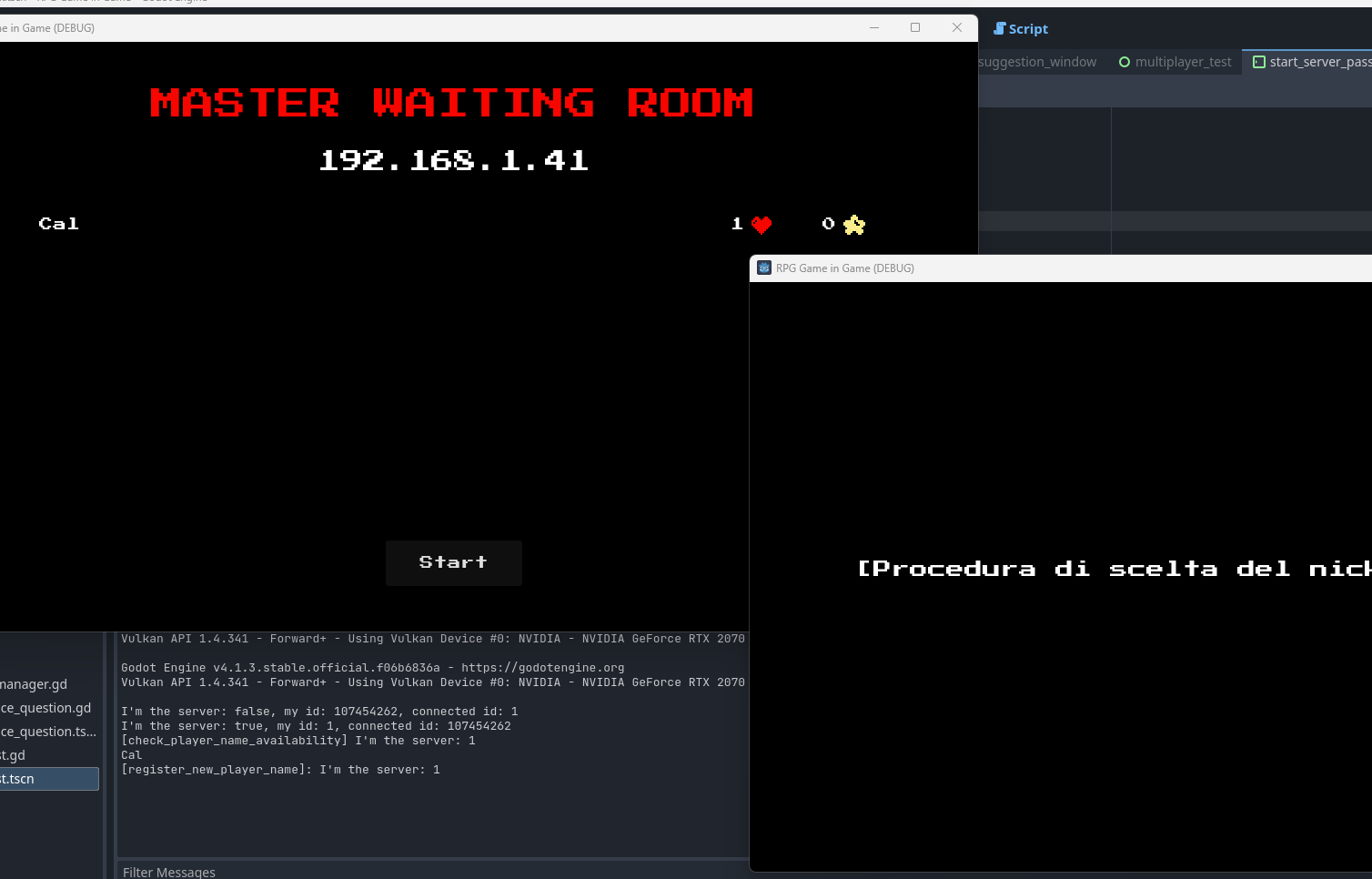
I built a dedicated local multiplayer architecture powered by Godot's ENetMultiplayerPeer (MultiplayerManager), designed specifically for classroom computer science education.
Instructors can launch a password-protected Game Master host session, allowing student clients to connect over the local network. The Game Master dashboard monitors connected students, tracks live HP and score metrics via Remote Procedure Calls (RPCs), and observes student debugging choices in real time.
Retro UI Polish & Multi-Language Localization
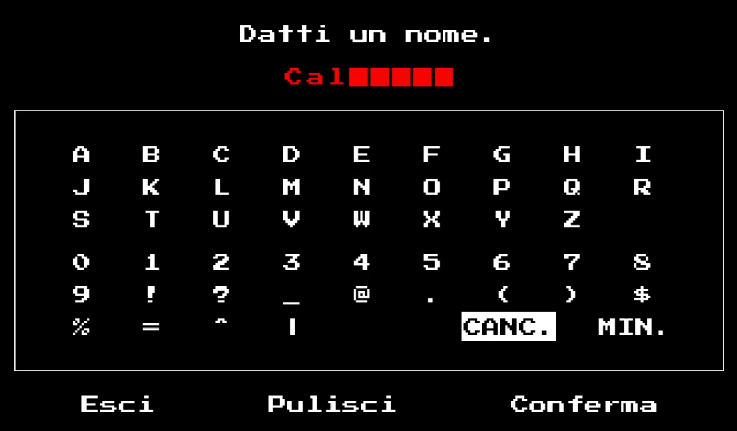
I designed a responsive split-screen canvas layout (GameCanvasBase) separating the pixel-art adventure world from the simulated IDE. The game features an Undertale-style virtual keyboard character naming interface (PlayerNameInput) that maps keyboard and gamepad inputs to custom symbol buttons.
I integrated full multi-language localization supporting Italian, English, and Japanese, handling dynamic font swaps and translated dialogue queues across all narrative and technical instructional text.
Gallery
Like what you see?
Get in touch to talk about how it was built.